Wednesday, May 6, 2015

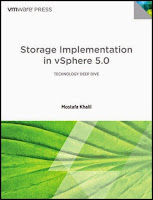
Product Highlight: Storage Implementation in vSphere 5.0

vSphere Storage Guide

When you’re working with the VMware infrastructure, you want to make sure that you have the right kind of storage implementations in place. Avoid the nightmare of running out of data space with the assistance of the Storage Implementation in vSphere 5.0. This vSphere storage guide is easy to read and allows you to store and manage your data efficiently on the VMware platform.

Understandable Breakdown:
When it comes to understanding every topic addressed about VMware, it can be quite challenging. Many guides can be dense and have poor structure. When writing this storage implementation guide, author Mostafa Khalil organized the topics in a way that would allow readers to understand what was being said without getting lost. His guide includes insights for better architectural design, planning and management practices, configuration details and external storage-related technologies.

Addresses Variety of FAQs:
Khalil has had many years of experience helping people troubleshoot storage problems they have had with vSphere. Through this, he effectively addresses many frequently asked questions in his writing. He combines expert guidelines as well as his experience to provide the best answers to customer problems. A few of the topics that he addresses include:

  • How do you configure storage array from "Vendor X" to support vSphere "Feature Y"?
  • How do you know you've configured it correctly?
  • What happens if you misconfigure it?
  • How can you tell from logs and other tools that you have a problem - and how do you fix it?

If you’re an IT professional looking to get the most out of storage virtualization on the VMware platform, this vSphere 5.0 guide will provide you with the insight and information you need. Gain an understanding of this topic and master storage implementation when you order this book today!

Monday, April 27, 2015

Comparing Public, Private and Hybrid Clouds

The ability to share resources and access files from virtually anywhere and on any device has made cloud environments extremely viable in the eyes of a growing number of organizations and the general public. The “cloud” is essentially a third-party infrastructure that creates a network of machines that store data, allowing for greater flexibility in the way businesses and organizations are able to manage data. The economic advantages of using a cloud computing model are undeniable, but with various deployment models, it is important to first determine the needs of your business so you can choose if a public, private or hybrid cloud is right for you.

The most common model of cloud computing is a public cloud, where data storage is provided and accessible over a public network, like the Internet. Ideal for sharing resources and doing collaborative work, this model is typically provided as a service and is used for applications that have a lot of users. Public clouds also tend to be inexpensive and are usually on a pay-per-usage scale based on capacity, so organizations can still optimize efficiency without the high-added cost. However, because this model is built for collaboration, it offers limited security and reliability. The ease of access and availability of the data stored on a public cloud makes it inadequate for keeping sensitive or confidential information secured.

For greater security and control over a data center, a private cloud offers data storage over a private data network that is owned by a single company. Typically used by larger businesses because of the higher cost, the private cloud computing model offers security through firewall protection and gives the company complete control over information within the data center. For businesses whose assets primarily lie in their data and applications, or for those that operate within a secure industry that handles sensitive information, a private cloud should be a perfect fit.

With a hybrid cloud model, two or more different deployment models operate individually but are united under a single entity, allowing businesses the versatility of being able to manage both private and public data. Hybrid clouds are more complex to manage because they combine both in-house and external storage, but they’re useful in keeping all aspects of the business in their proper environment – secure information is controlled, while collaborative access is allowed to other less sensitive data. Especially for multifaceted businesses and organizations that store a variety of client and company data, a hybrid cloud can provide the flexibility in access necessary to operate under special circumstances.

With evidence of good economies of scale and various fiscal and organizational advantages, knowing which cloud type best meets your needs can make a significant impact on how your business manages data. Which cloud model do you think is right for your business? Let us know in the comments below!

Cloud Computing Models Infographic

Thursday, March 19, 2015

Trending: Storage Virtualization

A continuing theme in the storage industry these days is Software-Defined-Storage (SDS). Though Software-Defined-anything is often simply a marketing label applied to anything that has software as part of the product, in the storage industry if refers to the degree to which a product truly virtualizes underlying storage capacity, performance, operations and management.

Expanding Explosion of Big Data
The onslaught of data being produced on the planet is growing larger every day. Every two years, the amount of data collected doubles. Increasing analytical sophistication plus real-time datasets from the Internet of Things will significantly add to the flood. Despite continued advances in storage density and speed, SDS solutions are desperately needed to facilitate infrastructure build-out, increase utilization and vanquish storage management complexity.

Bridging Disparate Environments
Smart SDS must grapple with heterogeneous hardware and software configurations, including the challenge of spanning on-site and public clouds seamlessly. Consistent, less complex storage interfaces promise to converge the underlying disparities in devices, interconnects and even geographic location; which will in turn simplify the application of enterprise IT policies.

Virtual SANs
A significant step toward solving such problems, represented by VMware’s recent release of vSAN software and their upcoming release of VVOL, is to inject change into the underlying paradigm in storage virtualization’s interaction with VMs.

Instead of the VM essentially inheriting low-level properties of the storage array, such as LUNs and NAS mount points, the VM allocates its own storage object that abstracts away those finer points. Via VMware vStorage APIs, VAAI and VASA, the VM interacts with the storage system directly. The storage unit from the VM side is not a LUN but a storage container complete with metadata, services and data store.

Hyperscale Storage
Another approach to improving cost and performance of storage virtualization is the software-centric Open Compute Project, whose aim is to eliminate proprietary, all-in-one server technology whose cost scales poorly in massive data centers, such as those run by Google, Facebook and Yahoo. The server hardware is disaggregated, simplified, standardized and controlled by license-free software where most of the intelligence resides.

Rather than single units of storage being shared by multiple VMs, both bottom-tier conventional bulk storage and top-tier flash storage reside in the same server cluster, which are shared amongst the micro-server components. The whole thing is held together, abstracted and managed by the top software layer for the rack.

Hard Technology Developments
Software-defined anything requires cheaper, faster, more intelligent hardware beneath it in order to drive advances higher in the stack. Solid state and hybrid storage are enabled by All-Flash-Arrays and Software-enhanced Flash Cache for the highest performance tier.

These, along with inline data reduction capabilities, are boosting storage server performance to new levels while simplifying load management. Higher speed interconnects and remote direct memory access network protocols further support wide-area storage virtualization and advanced computational models.

Poised on the Cusp of Change
All in all, the storage industry appears to be approaching an historical inflection point as true software defined storage emerges and storage, compute and networking capabilities reach new heights in performance and scale.

Thursday, March 12, 2015

Product Highlight: VMware Certified Professional (VCP) - Cloud Practice Test (30 Day Online Access)

VCP Cloud Practice Exam

Preparing for a test can be harder than taking the test itself. Finding a study method that works for you and imagining how it will be applied in test format can be a challenge, no matter what the topic. Studying for the VCP-Cloud exam is certainly no exception. Through the VCP-Cloud practice test from MeasureUp, you have the opportunity to practice your test-taking skills using tools that provide an accurate simulation of the exam.

The Test
The VMware VCP-Cloud practice exam by MeasureUp, the Official VMware Practice Test, provides an easy to use practice test format. Throughout the mock assessment, you will be allowed to review and build your knowledge through the test’s detailed answers and references, study and timed certification modes with instant feedback on how you performed. With 30 day online access, you will have access to this practice test for 30 days from the date you activate the practice test on the MeasureUp platform. The activation code is good for one year from date of purchase from VMware Certification Marketplace.

Basic Experience
Candidates seeking VCP-Cloud certification are typically infrastructure personnel who have worked with vCloud Director Implementations from anywhere between three to six months. They should know how to install and configure ESXi hosts and use the VMware vCenter to monitor, manage, troubleshoot and administer virtual machines. These topics are also covered in the practice test.

Topics Covered
The practice exam contains 240 questions covering a variety of topics, adding up to a large amount of specialized subjects that need to be studied and mastered. The practice exam covers the following objectives:

  • Plan, Install, Configure and Upgrade vCenter Server and VMware ESXi - 12 questions
  • Plan and Configure vSphere Networking - 20 questions
  • Plan and Configure vSphere Storage - 12 questions
  • Deploy and Administer Virtual Machines and vApps - 18 questions
  • Establish and Maintain Service Levels - 14 questions
  • Perform Basic Troubleshooting and Alarm Management - 12 questions
  • Monitor a vSphere Implementation and Manage vCenter Server Alarms - 8 questions
  • Install and Configure vCloud Director - 14 questions
  • Administer Users, Roles and Privileges in a vCloud - 4 questions
  • Configure and Maintain vCenter Chargeback - 6 questions
  • Configure and Administer vCloud Networking - 55 questions
  • Configure and Administer vCloud Organizations - 12 questions
  • Allocate and Manage vCloud Resources - 24 questions
  • Create and Administer vCloud Catalogs - 12 questions
  • Monitor Cloud Utilization - 17 questions

After purchasing the MeasureUp practice test, which you can purchase here, your chances of success on the actual exam will grow immensely. You will be provided with the knowledge needed to pass, while simultaneously decreasing test anxiety. Be confident and prepared for the next big step in your virtualization career!

Thursday, March 5, 2015

2015: Time to Focus on the Cloud

It is predicted that as of this year, 90% of enterprises will have hybrid cloud services in place. Taken at face value, this sounds as if the battle is over for enterprise IT and the migration to SaaS, PaaS or IaaS is all but accomplished. However, for many IT departments, it simply means they have only begun to fight by migrating at least one software service, such as email, to public infrastructure.

The reality is that integration of cloud services will become the standard, sooner rather than later. Those enterprises that delay adoption, while the trend accelerates, will find themselves mired in an inefficient paradigm of managing in-house compute resources while competitors reap the advantages of flexible and extendible services residing in the cloud.

Man Holding Cloud

Benefits of Cloud Migration
Moving to a cloud paradigm spells opportunity for most businesses. The benefits are many:

  • Reduction of expenditures in capital equipment
  • Ability to rapidly scale compute costs to meet growth projections or point events
  • Elimination of maintenance, update and recovery expenses
  • An increasingly connected, agile mobile workforce
  • Increased security and data control

Cloud migration, however, is not simply a matter of throwing a switch. Like any strategic move, there are tradeoffs. For instance, organizations must weigh the benefits of being able to rapidly respond to their market, with the detriment of giving up some control of application customization.

First Steps to Migration
One universal problem that has plagued IT departments before “cloud” entered the organization’s lexicon is still applicable: what to do with legacy applications. These are built upon assumptions about the environment in which they operate regarding software and hardware platforms, network infrastructure, security and monitoring. This situation leaves IT with an important decision: Should such applications be deployed first to a private cloud or go straight to a public cloud deployment?

Public versus Private Cloud
The decision whether to go private or public is guided by these factors:

  • Service Demand – A private cloud is appropriate if demand is predictable and steady. If there is high variance, a hybrid or 100 percent public cloud approach makes sense.
  • Network Requirements – Organizations requiring access only via specific networks or vendors cannot take advantage of public cloud services effectively.
  • Application Dependencies – Enterprise applications with tight dependencies on specific devices or internal applications have the most difficulty in migrating to public cloud services.

Sub-Hybridization of Apps
IT departments overwhelmed by the scope of changes to analyze and act upon might consider taking smaller steps than wholesale migration of apps and services to any cloud - private or public. Hybridizing a single application in order to retain control over core features, while taking advantage of the flexibility of resources public cloud vendors offer, is one way to do this.

One example where this works is to retain a proprietary database within the organization infrastructure while "virtualizing” the interface to these data on servers located geographically closer to customers. Gradually, remote data caches can be added to improve responsiveness before converting to a fully distributed database.

Delaying Adoption Places You Squarely Behind the Curve
The challenges to moving to a cloud infrastructure are formidable but certainly not insurmountable. Delaying decisions because of lack of knowledge, skills or legacy drags your business behind the surging transition to cloud services. Rather, put your organization’s focus on the long-term benefits:

  • Network and device autonomy
  • Employee and customer IT self-service
  • Resource elasticity to meet changing market demands
  • Increased customer touch by a mobile workforce
  • Higher collaboration potential among employees

The bottom line is a decrease in overhead and complexity with an increase in business productivity.
Wednesday, February 11, 2015

2014 Recap of Virtualization Technologies

2014 was another banner year in data center virtualization innovations for storage, networking and integrated resource management. Advances were also made in response to demands for higher security, support for hybrid cloud and virtualization services, and the pervasiveness of enterprise workforce mobility. Here are ten of last year’s most important developments.

2014 in Review
  1. VMware embraced OpenStack, the leading IaaS (infrastructure-as-a-service) solution in cloud computing for controlling pools of storage, networking and processing resources. Their OpenStack distribution, labeled VMware Integrated OpenStack or VIO, allows customers to migrate to an open source base while retaining the ability to manage through VMware’s vCenter.

  2. VMware expanded their leadership in the software-defended data center (SDDC) space via PaaS EVO Rail and EVO Rack hyper-converged infrastructure packages for small and large organizations, respectively. These cross-provider hardware and software packages are designed specifically to streamline deployment in support of SDDC expansion. Already, OEM partners Supermicro, EMC, Inspur, Fujitsu, Dell and Net One Systems Co. are certified to offer single-point integrated systems.

  3. Companies are racing to virtualize their mission critical applications and data in the public cloud as they become familiar with new security and privacy solutions. The advantages of dynamic scaling and infrastructure efficiency by utilizing the public cloud for the largest applications has become impossible to ignore.

  4. Virtual Desktop Infrastructure made a big leap forward this year in engineering graphics applications. For example, VDI technology from Citrix paired with NVIDIA’s most powerful GPUs and Dell computing hardware allowed Boeing to efficiently design the 787 Dreamliner using a global engineering and design team accessing a single database.

  5. Mid-year, VMware brought a new level of capability to VDI and DaaS technology with its release of Horizon 6.0. It supports enterprises that rely on a mix of VDI and non-VDI machines. End-user software is containerized, deployed in the public or private cloud or on the desktop. Users can access enterprise apps via Workspace from any device whether they exist as a public or private cloud service or a desktop application.

  6. VMware announced a new suite of products based on a more scalable architecture under the brand name vRealize. This major release allows single-console visibility of an entire enterprise’s network, storage and computing devices plus state-of-the-art analytics, alerts and support for problem detection and remediation.

  7. Virtualization within the ‘Internet of Things’ leapt forward in 2014. For instance, Wind River®’s release of a new virtualization profile within its VxWorks® OS supports embedded virtualization by allowing any combination of VxWorks, Windows® or Linux OS to share memory and processing cores.

  8. Nearly 100 percent of technology companies have implemented bring-your-own-decive (BYOD) initiatives as of the end of 2014. Furthermore, well over 50 percent of IT companies have identified support for mobility and BYOD as top spending priorities in the years ahead.

  9. Network-as-a-Service or NaaS, began a new chapter with the Metro Ethernet Forum’s announcement of a Third Network Initiative based on the forum’s Ethernet 2.0 specification. Service coordination, APIs, network protocol independence and clarity around physical and virtual service endpoints will be included. The goal is to provide on-demand, secure and scalable network service across multiple network providers while meeting existing SLAs.

  10. 1As containerization technology grew from a niche into common knowledge, the implementation of virtual micro-services and the architectures to support them went mainstream in 2014. This development is leading to increased economic advantages for both large and small players, especially in mobile cloud and virtualization services.

In the near future, 2014 may be seen as a watershed year for virtualization technologies and services as they become imperatives for IT companies going forward. Keep an eye on 2015 to see how these new developments play out.

Monday, February 2, 2015

Product Highlight: Official VCP5-DCV Practice Exam

You’re studying for the VCP5-DCV exam, and you’ve mastered all the concepts but have no clue how these concepts will come across in a real-world exam setting. The Official VCP5-DCV Online Practice Test is a complete, timed practice exam that helps solve this problem. It includes 255 questions similar to the ones you’ll see on actual exam day, comprehensive answers and references, a timed certification mode and an instant score report.:

VCP5-DCV Practice Exam by MeasureUp

Candidate Experience
The candidates who have the best chance of passing the actual exam are usually infrastructure personnel who have had about 6 months of firsthand experience installing, configuring and administering vSphere 5. They should also know how to install and configure ESXi hosts, maintain and troubleshoot virtual machines by using VMware vCenter and typically already have other general IT certifications or about 2-5 extra years of similar experience.

MeasureUp
MeasureUp has been a trusted source for certification guides and other preparation materials since 1997. Offering you the freedom to prepare for your exam the way it suits you, MeasureUp’s practice exams provide open and timed assessment modes and promptly deliver exam scores.

A vast amount of information and industry knowledge of virtualization has been streamlined into this comprehensive VMware Certified Professional 5 – Data Center Virtualization Practice Test from MeasureUp. With over 200 VCP510 study questions and detailed answers to train you, this practice exam is designed to lead you to success!

Practice Exam Topics
While there’s an immense amount of information you should expect to encounter, general topics (and number of questions per topic) will include:

  • Establishing and Maintaining Service Levels – 52 questions
  • Planning, Installing, Configuring and Upgrading vCenter Server and VMware ESXi – 45 questions
  • Deploying and Administering Virtual Machines and vApps – 40 questions
  • Performing Basic Troubleshooting - 38 questions
  • Planning and Configuring vSphere Networking 31 and vSphere Storage - 34 questions
  • Monitoring a vSphere Implementation and Managing vCenter Server Alarms - 15 questions

With the help of MeasureUp’s Official VCP5-DCV Practice Test, you’ll pass the exam with confidence and be ready to step into your new role as a VMware Certified Professional on Data Center Virtualization in no time.

Friday, December 26, 2014

5 Steps to Trim Your IT Budget Using Virtualization

Although the concept has been around for decades, the idea of employing virtualization on computers has just recently started gaining serious traction in business. Businesses of all types and sizes are learning the incredible benefits of server virtualization, including:

  • The capability of running multiple applications and operating systems on one single computer
  • Savings of more than one-half of ongoing IT costs
  • Higher productivity as a result of hardware consolidation and the requirement for drastically fewer servers
  • Faster deployment of applications, far less IT maintenance and a much simpler IT management system

5 Cost-Reducing Advantages of Virtualization

  1. Typical business IT departments spend somewhere around 70% of their budget on maintenance of an ever-growing hardware infrastructure. Because most of today's business computers use an X86 platform, which are designed to run only one application or operating system at a time, more servers must be deployed to satisfy the needs of each data processing center - even though existing systems are typically only being used to about 15% of their computing potential. Creating virtual systems within a computer allows each server to utilize approximately 80% more of its potential computing power, far outpacing the average and inefficient 15% mentioned above.
  2. Because the efficiency of each piece of computing hardware is significantly increased, this means the amount of required hardware is substantially reduced through consolidation to about 1/10 of what's required without the introduction of virtualization.
  3. A more efficient, simpler and agile server setup not only reduces the amount of maintenance required to keep everything humming but, as a direct impact, creates savings in operational and capital costs of approximately 50% when compared to non-virtualized systems.
  4. In addition to the Server Virtualization discussed above, Desktop Virtualization is an additional means of improving service through quicker response and cutting costs, by providing virtualized desktop computers to branch offices, offshore outsourcing partners and mobile employees staying in touch on portable handheld devices such as tablets. These virtualized desktop systems provide a secure, consistent and scalable solution that not only saves IT dollars but also increases productivity.
  5. Data Storage Virtualization allows for a fundamentally more efficient method for managing storage resources that improves both utilization and flexibility. Storage Virtualization can be used as a means of complementing and leveraging the current, existing data storage infrastructure.

It's All Good, With No Downside

Traditionally, when computer apps started running slowly or more memory seemed to be required, the answer was to add more hardware to the system. This not only increased capital expenditures but also inflated ongoing maintenance requirements with their associated costs, thereby wasting funds that could have been better utilized elsewhere.

By virtualizing your IT infrastructure, you make it simpler, more efficient, faster and with better performance and availability. Briefly said, it's easier to implement and manage a virtualized system.

Tuesday, December 23, 2014

VCP5-DCV Exam Voucher & Official Practice Test Bundle

As companies continue to realize the real benefits associated with implementing technology strategies into their business processes, the demand for knowledgeable, experienced IT professionals continues to grow. Twenty years ago, firms that had already developed complex datacenter systems would have been considered frontrunners in the realm of information systems management, but today, having advanced data systems and being able to manage them effectively are a crucial part of a company’s success. For these reasons, the VCP Datacenter certification (VCP-DCV) has become the industry’s leading virtual datacenter certification.

VCP5-DCV Exam Prep

The Bundle
With the MeasureUp VCP5-DCV bundle, you not only get the VMware Certified Professional DCV exam voucher but you also get the official MeasureUp practice test to help you prepare for the exam. The practice exam is available as a digital download, so you can get started preparing for your exam right away with study guidance, timed certification mode, detailed answers and reference and an instant score report once you’ve finished.

The Practice Test
This MeasureUp practice exam for the VCP510 certification test is one of the most comprehensive practice exams on the market. These award-winning practice tests match the learning objectives of the real exam by including questions modeled after real exam questions. The VCP5-DCV practice exam has different study modes, so you can choose to work through each problem one at a time with thorough explanations or have the option to use the simulated timer mode to help prepare you for the real exam environment. The following objectives are covered in the 255 questions of the MeasureUp VCP510 practice test:

  • Plan, Install, Configure and Upgrade vCenter Server and VMware ESXi 45
  • Plan and Configure vSphere Networking 31
  • Plan and Configure vSphere Storage 34
  • Deploy and Administer Virtual Machines and vApps 40
  • Establish and Maintain Service Levels 52
  • Perform Basic Troubleshooting 38
  • Monitor a vSphere Implementation and Manage vCenter Server Alarms 15

The Exam Voucher
If you’re looking to expand your career into the field of datacenter architecture, administration and management, then the VCP5-DCV is your ticket in. In order to take the exam, a VCP5-DCV exam voucher is required, which is why VMware Certification Marketplace has bundled it up with the practice exam. Once you have this VCP voucher, you will be able to register for the VMware Certified Professional Level exam.

The next window of opportunity for your IT career opens up when you become VCP certified. Start your new path into the rapidly expanding field of datacenter management today with the VMware Certified Professional DCV Exam Voucher & Official Practice Test Bundle.

Friday, November 28, 2014

5 Things You Need to Know About Hybrid-Cloud Computing

Cloud computing is a relatively new trend in the Information Technology Industry. Because it is still a growing field, its precise definition is still a bit ambiguous. Generally speaking, cloud computing gives you the ability to deploy applications, systems and IT resources as services that reside in a global connected network known as the “cloud.” You can pull resources from the cloud whenever you need them, and you only pay for what you use.

A hybrid cloud is a cloud computing environment in which an organization provides and manages some resources in-house and has others provided externally. For example, an organization or company might use a public cloud service to store archived data but will continue to use in-house storage for operational data. Thus, let us look at the essential benefits of hybrid cloud solutions.

  1. Cost efficiency - Hybrid cloud computing can maximize cost efficiency, especially capital expenditure. A hybrid cloud gives companies the leverage of accessing IT resources without an initial capital investment. Because a hybrid cloud uses both private and public clouds, it allows users access to significant economies of scale without exposing too much of their important data and vital applications. Thus, cloud computing shifts a company’s IT investment from capital expenditure to an operational expense.
  2. Exit Strategy - Hybrid cloud computing can help a business build an exit strategy. One of the main concerns that companies have with a public cloud is the low level of data security. By using a hybrid cloud, businesses can maintain an in-house storage of operational data in their private clouds while using public clouds to store archived client information and data.
  3. Speed - When it comes to running your business, it’s all about efficiency and speed. The elastic and rapid nature of a hybrid cloud may be one of the best attributes that contribute to the success of running a business. There are services available through the hybrid cloud that are less expensive than maintaining in-house IT departments. A hybrid cloud strategy will make it easier to bring on new resources more quickly and efficiently.
  4. Stretch the Risk - From the perspective of cost, performance and rapid recovery, internally managed Disaster Recovery (DR) cannot touch the capabilities of a cloud or hybrid cloud system. Thus, using multiple providers to distribute the responsibility can help. Businesses can have one provider assume full responsibility, in case the other is compromised. This will give them the flexibility to switch to one from which they can operate efficiently post-disaster.
  5. Bidding - Your hybrid strategy can allow you to accomplish bidding deals with vendors, allowing you to manage service levels through competition. You set the criteria, and a pre-reviewed list of capable suppliers bid on the services you require according to the vendors own flexibility and asset availability.

Therefore, hybrid cloud computing can help your business function more efficiently, by decreasing risks and costs while providing more secure space for all of your business data.

Tuesday, November 25, 2014

Product Highlight: VCP-Cloud Official Cert Guide

Looking for a better job in the information technology industry? The IT industry has vast job and career opportunities for certified professionals. Getting certified as an IT professional is no longer a daunting task. In fact, becoming certified as a VCP Cloud professional has never been easier! We at VMWare Certification Marketplace bring you the VCP-Cloud Official Cert Guide.

The VCP-Cloud Official Cert Guide is part of the official learning path from VMware. It focuses specifically on the objectives for the VMware Certified Professional – Cloud Exam, giving you all the skills needed to pass the exam. The guide includes simulation and hands-on cloud training from authorized VMware instructors along with self-study materials. Experts Tom Ralph and Nathan Raper share preparation hints and test-taking tips. While this will definitely help you identify areas of weakness, it will also help improve both your conceptual knowledge and hands-on skills.

Material in the guide is presented in a concise and organized manner to help increase your understanding of the subject. Each chapter begins with “Do I Know This Already” quizzes that help you gauge how much time you will need to spend on each section. In addition, chapter-ending exam preparation tasks help you further understand the concepts presented in each section. The concepts covered in the book include:

  • Installing vCloud Director and vShield Manager
  • Learning the differences between roles and privileges and the principles of role-based access controls
  • Coverage of the vCenter Chargeback Manager product, introducing the concept of chargeback and why it is needed in a cloud environment
  • Understanding and troubleshooting vCloud Connector, including identification and functionality of the different components
  • Constructing different types of vCloud networks and network pools and the requirements for each
  • Creating and modifying vCloud Director organizations
  • Allocating and managing vCloud resources
  • Monitoring a vCloud implementation

In addition to the guide, the included DVD contains a powerful practice test engine that will help you focus on specific topics, or take a complete timed test. The assessment engine also tracks your performance and provides feedback to help you focus your study where it is most needed.

Do not wait any longer! Get certified today, and take advantage of the infinite opportunities the IT world has to offer.

Friday, November 21, 2014

How Virtualization Improves Your Company’s Security

Virtualization can offer many solutions and benefits to companies, but the issue of system security has always been an ominous cloud hanging over the ultimate decision of whether or not it is right for your business. Since the initial success of using virtualization as a tool for companies, security professionals have doubted the risk-reward ratio for implementing virtualization strategies to businesses. However, the truth is that virtualization technology actually has inherent security advantages. Some of those built-in virtualization security benefits include isolation, segmentation, and service insertion and chaining.

Isolation
By default, virtual networks are separated from the underlying physical infrastructure of a network as well as other virtual networks. This principle of isolation is the foundation of most network security and one of the core features of network virtualization. Virtualization provides isolation for the physical network, meaning that any attacks on the virtual network will not compromise the underlying physical infrastructure.

Isolation also means that virtual networks operating on the same hypervisor (or virtual machine manager) can have overlapping IP addresses, which allows for isolated development, testing and production of virtual networks. Even though the term “isolated” may be misleading, the isolation feature simply means that virtual networks can work simultaneously with less security risks.

Segmentation
The idea of segmentation is similar to isolation, except in the case of segmentation, the isolation takes place on a smaller scale where different tiers within a multitier virtual network are segmented from each other. Virtualization offers the big advantage of built-in segmentation. Traditional methods of achieving network segmentation is extremely time-consuming and highly prone to security breaches due to human error. Since network segmentation is a core capability of network virtualization, the need for segmentation configuration and maintenance of the physical firewall is eliminated.

Insertion, Chaining & Steering
All of the fancy terms like “insertion”, “chaining” and “steering” really just mean one thing: easier implementation of more advanced, third-party security services. The many inherent security advantages of virtualization are not always sufficient means of IT protection for certain businesses. In many cases, clients will choose to leverage a more advanced, third-party security service to protect their company.

Despite this, virtualization can make adding those third-party security services easier and more effective due to the inherent ability to distribute and enforce those services throughout the virtual network. In other words, virtualization technology enables security services, like next-generation firewalls, to be available locally on every hypervisor (VMM) in the network.

The security benefits of virtualization, discussed here, are not a fully exhaustive list, as there are even more ways that virtualization technology can reinforce your company’s system security. Virtualization can secure IT systems on the server, network and desktop level, making it a common software solution for many companies. VMware Certification Marketplace can provide you with all of the materials and information you need to become your company’s go-to virtualization expert — so get started at www.vmwarecertificationmarketplace.com today!

Monday, October 27, 2014

Product Highlight: Virtualization Microsoft Business Critical Applications

Virtualizing Microsoft Business Critical Applications on VMware vSphere

Do you work for a company that relies heavily on virtualization of Microsoft’s enterprise applications on vSphere to drive down costs? Have you been wanting to learn the fundamentals of delivering mission-critical applications and services to a variety of devices? Look no further than Virtualizing Microsoft Business Critical Applications on VMware vSphere. This course covers the best practices and knowledge needed to implement Microsoft business critical applications on the vSphere platform. You can drive down costs for your company by virtualizing Microsoft’s enterprise applications on vSphere and migrate towards a more flexible and low-cost private cloud architecture.

This guidebook bridges the gap between Microsoft and VMware. It covers topics such as Microsoft CAL licensing for VMware environments, running a VMware exchange server and administering other business-critical applications in the VMware platform. In addition, it also covers topics including:

  • Evaluating the benefits, risks, and challenges of virtualizing Microsoft business critical applications
  • Identifying strategies for success associated with people, processes and technology
  • Reviewing VMware vSphere features most important to virtualizing business-critical applications
  • Planning, designing, and developing virtualized SharePoint Server 2013 environments
  • Designing and configuring vSphere High Availability clusters to run Windows enterprise applications
  • And much more

The course is presented by Libowitz and Fontana, who are experts in this field. Furthermore, it covers all parts of virtualizing Windows Server 2012 AD domain controllers and failover clusters, Exchange Server 2013, SQL Server 2012, and SharePoint Server 2013. You will also find up-to-date guidance on licensing and other issues related to ensuring full support from both Microsoft and VMware.

What are you waiting for? Get the guidebook now, and delve into the fundamentals of the Microsoft and VMware worlds!

Thursday, October 23, 2014

How is Virtualization Different than Cloud Computing?

For the majority of us who aren’t experts in the world of IT, there’s a lot of confusion about cloud computing and virtualization. A common misconception is that these two strategies are interchangeable and synonymous with one another. While it’s true that they are related in several ways, it’s very important to understand the fundamental differences between cloud computing and virtualization - especially when making important decisions for company or organization.

A square is a rectangle, but a rectangle is not a square. Everyone is familiar with this geometric principle, and as it turns out, it is a great analogy for the differences between cloud computing and virtualization. Keeping that in mind, these definitions should help better your understanding:

  • Cloud computing: the delivery of shared computing resources, software or data as a service via the Internet
  • Virtualization: refers to the act of creating a virtual version of a computer hardware platform, operating system (OS), storage device or computer network services

In this situation, the square-rectangle comparison is relevant because virtualization can be used as a tool to provide cloud computing, but cloud computing itself is not the same thing as virtualization. Virtualization is a specific element of cloud computing. In other words, virtualization is a square, and cloud computing is a rectangle. Let’s break it down even further:

Virtualization

Virtualization
The director of product marketing at VMware, Mike Adams, described virtualization as the “software [that] makes it possible to run multiple operating systems and multiple applications on the same server at the same time.” This means that virtualization software allows users to overcome physical hardware incompatibilities. In other words, virtualization software provides the physical infrastructure that allows cloud computing to be executed.

See the diagram (Source: VirtualCommand.com) to the right: the virtualization software, called a hypervisor or a virtual machine manager (VMM), runs on the physical hardware of your computer and manipulates it to allow you to run virtual machines (VMs) that would otherwise be incompatible with your computer or operating system.

Cloud Computing

The ability to access and operate virtual machines through virtualization software is one form of cloud computing. For example, it is not possible to run certain Microsoft applications on the Mac OSX. One way to overcome this obstacle would be to install a form of virtualization software, which would allow you to virtually run the Microsoft Windows operating system on a Mac computer. The service (having the ability to run MS applications on your Mac) is what we call cloud computing. More basic forms of cloud computing include internet storage services, like Dropbox, and webmail services, like Gmail. These services allow you to access stored data and information (in the “cloud”) from a remote location via the internet.

Adopting a cloud computing strategy at the enterprise level is much more complex and integrated than basic webmail, which is why virtualization software is usually a great option for businesses. You can learn more about the fundamentals of virtualization with this DVD training program from VMware, or read more about how virtualization can save you money, here, on the VMware Certification Marketplace blog.

Thursday, September 25, 2014

VMware vSphere Virtualization Fundamentals LiveLessons

VMware vSphere Virtualization Fundamentals LiveLessons

The IT world is one that is ever evolving, with new concepts being introduced on a regular basis. Being an IT professional is not an easy task. It is important to be up-to-date with the newest methods that are being used, while also being informed of the basic concepts of the past. This not only makes work easier, but also makes you a more sought after, educated IT professional. One course that can help with this is vSphere Virtualization Fundamentals LiveLessons, offered by VMware Certification Marketplace.

The course is offered by bestselling author and VMware certified trainer, Bill Ferguson, and covers all topics needed for creating virtualized data centers. Virtualization is one of the most important and leading feilds in the IT world today. Most IT professionals have basic knowledge about virtualized data but would like to learn more and gain experience in this field. This LiveLesson course is the best place to start learning more about virtualization. The videos start with the fundamentals of virtualization and move on to talk about topics that relate to the creation, management, and control of a VMware vSphere virtual data center.

From the core concepts to the very specifics, this course offers everything any IT professional will need to know about virtualization. It offers lessons with regard to vSphere, virtual machines, and virtual resources. In addition, the course also offers lessons in regard to management and control of virtual data centers. By the end of the course, IT professionals will have a great understanding of the basics of vSphere.

With eight lessons and numerous hours of video tutorials, this package course comes in an affordable price of only $149.99. The best part about this package is learning by seeing and hearing a real person – not by reading a heavily technical book. Do not wait any longer. Quick start you career in virtualizations today!

Monday, September 22, 2014

How Virtualization Can Help Firms Save Money

These days, we have all swapped our address books for cloud-based contact management, and our albums stuffed with 4x6 photos for iCloud albums. Virtualization is also one of the most buzzed about trends in IT departments, and is often touted as being able to save significant funds and resources for a company. Today, we will explore what virtualization is and whether it’s the best choice for your company.

The two important types of virtualization to distinguish between are server and desktop virtualization. Typically, server virtualizations are implemented first,  dividing the server’s memory and processing capacity from separate machines into one physical machine that simulates the former operating system. Desktop virtualization creates an infrastructure where all client data and desktop software is stored on a server, as opposed to on each individual machine. This allows administrators to centrally manage these machines while users are able to use their own computers and operating systems.

The primary savings — drivers influencing a company-wide virtualization — are hardware, maintenance, energy, facilities and downtime savings. While the servers that power your virtual work environment are more costly than the previously used machines, having one virtual server is still cheaper than having many physical servers. Additionally, having multiple machines not only takes up considerable space in an office but also requires periodic maintenance, allowing employees that were previously occupied repairing the machines to respond to other tasks. The servers themselves are also an energy drain and can save money with utilities costs.

Clearly, a company can realize many cost-saving strategies with server virtualization, but each employee can realize tangible time savings if desktop virtualization is implemented. Because information is cloud based, the business can create backup shapshots of an application and duplicate it elsewhere. If a computer fails, instead of sending the machine out for repair, it can often be repaired via the virtualized desktop in a matter of hours, saving productivity.

While virtualization can streamline many processes for a company and drive efficiencies in the long-run, it requires certain initial implementation costs. Take a look through our helpful guide below to see if the benefits of virtualization might make it the right decision for your organization.

Is server virtualization right for my company? (Source: GCN)
  • Are key infrastructure resources such as data center space or power capacity nearing limits?
  • Are you planning a server consolidation project?
  • Is your average server CPU usage rate below 30 percent? Is there an increasing rate of new server provisioning?
  • Do you need to run legacy applications that require obsolete hardware environments?
  • Do you need to run application management in a test or development environment?
Is desktop virtualization right for your company? (Source: GCN)
  • Is my organization facing challenging in providing individual PCs?
  • Does my organization have a mobile workforce?
  • Does my organization maintain a close partnership with contractors and outsourcers?
  •  Do frequent updates to custom software require manual installation?
  • Is there significant turnover, mobility or reassignment in the end-user community?
  • Do users require access to tools supported only on different desktop operating systems?
If you’ve answered yes to a majority of these questions, then perhaps virtualization is right for you, and there is no better place to start on your pathway to being a virtualization expert than www.vmwarecertificationmarketplace.com.

Tuesday, August 19, 2014

VMware VCP DCV Exam Voucher Bundle

If you’re looking to establish yourself as a premier data center virtualization professional, the VMware Certification – Professional Datacenter Virtualization (VCP5-DCV) program is the best choice for your career success. Backed by the world’s foremost virtualization technology company, VMware Certified Professionals have been distinguished as having exceptional knowledge in the area of virtual datacenters; as well as the talents to effectively build and administer enterprise-level datacenters.

If you’re looking to earn your VCP5-DCV certification, VMware Certification Marketplace offers the tools you need for success with our VCP5-DCV Exam Bundle! This bundle includes both the MeasureUp VCP-DCV5 practice exam, and the voucher needed to take your VCP5-DCV certification exam. When you purchase the bundle, receive 20% off the price of the MeasureUp VCP5-DCV practice exam.

MeasureUp brings its decades of experience in providing IT practice exams to its VCP5-DCV practice exam and backs up their experience with a test-pass money back guarantee! MeasureUp is the official practice test partner of VMware, offering detailed guidance in every aspect of the VMware VCP5-DCV exam – from planning, installing, configuring and upgrading your ESXi/vCenter server installation, to managing server alarms. Timed practice mode makes it possible to simulate your exam and prepare for test-taking; while the study mode allows you to explore each question and spend as much time as you need mastering concepts. Each question is based on those found on the actual VCP5-DCV exam, and each question provides sources to official VMware documentation.

The second part of this valuable bundle is the VCP5-DCV voucher. This voucher is delivered instantly and allows you to register for your VCP5-DCV exam at any Pearson VUE testing center. Exam authorization is required before moving forward with your VMware Certified Professional exam.

If you’re ready to advance your IT career, check out this great voucher bundle here or visit the full VMware Certification Marketplace for all the books, guides, practice exams and vouchers you need to earn your VMware Certification today!

Friday, August 15, 2014

Building Your Team with VMware Certification

The need for talented employees – and not being able to find them – is an issue faced by many IT departments, consulting firms, and others. The official VMware blog points out several statistics regarding the “IT skill gap”, with over half of IT executives and managers reporting concerns about the quality and quantity of IT talent available. Many businesses address this skills gap through retraining, rather than new hires. 57% of employers noted they would retain and retrain workers, rather than make a substantial amount of new hires.

The IT space is one of the most competitive. With so many firms competing for market share, and a lack of qualified IT professionals, the competition for both business and employees can be brutal. In order to compete, employers must be able to keep a talented staff to effectively serve their clients. In a recent survey of 120,000 IT professionals, when asked what their direct manager could do to improve job satisfaction or engagement, the top response (aside from salary, benefits, and promotion) was training opportunities.

One of the most valuable IT certifications, and areas of knowledge, is within that of VMware and virtualization technologies. By offering VMware certification and training to IT talent, businesses are able to retain their most talented IT professionals as well as improving the common knowledge of their firm. Employees win by getting certified in one of the most rapidly growing fields of the IT sector, expanding their knowledge, allowing them to work on more rewarding projects and expand their career opportunities, while employers benefit from having a team well-versed in the high-demand field of virtualization services.

More than 60% of managers say IT teams benefit from staff with certifications, and that those certifications add to the value of the team. The VMware Certified Associate is a great place to start in building this foundation. The cost of a VCA Voucher  for your team members is minimal compared to the value that certification adds to your IT team

If you’re interested in learning more about how VMware Certification benefits your team and your technology professionals, visit the official VMware blog; or visit VMware Certification Marketplace for training materials, practice exams, books, and everything else you need to propel your IT team to success.

Friday, July 18, 2014

Building a Virtual Datacenter in vSphere 5

Building a virtual datacenter is one of the most critical skills for individuals who design and manage virtualization environments. More and more companies are turning to the use of virtual datacenters for data storage in applications including data mining, customer analytics, web analytics and more. Those companies seek IT professionals with the necessary skills to build effective virtual datacenter solutions.

Whether you’re an IT professional looking to build a virtual datacenter for the first time or a veteran looking for a reference guide, VMware vSphere 5: Building a Virtual Datacenter covers every aspect of creating a virtual datacenter on vSphere 5. From design to troubleshooting, it offers information applicable to datacenters both large and small.

This comprehensive guide comes from two talented VMware professionals: Eric Maille and Rene-Francois Mennecier, who begin with reviewing the fundamentals of datacenter design. From there, this VMware datacenter guide dives into the business of datacenter creation – budgeting, scheduling, planning and how to compare and evaluate different datacenter designs and solutions. They then cover technical aspects critical to a successful virtual datacenter. These include the integration of vSphere with datacenter elements such as storage, backup and disaster recovery. This VMware datacenter guide also shows you how to seamlessly integrate other VMware solutions such as ESX and vCenter Server, allowing you to easily manage all components of your virtual datacenter. Once your datacenter is successfully running, Maille and Mennecier provide a wealth of knowledge on how to optimize performance and troubleshoot common issues within vSphere 5 virtual datacenters. 

From beginners to experts, there’s something for everyone in this guide, jam-packed with everything from the fundamentals of datacenters to advanced topics such as integration and optimizing your vSphere environment. Looking for more? Visit us at VMware Certification Marketplace for additional VMware books and reference materials that will help you master every aspect of the VMware platform, from designing and deploying vSphere to the development of applications using the VMware SDK! 

Tuesday, July 15, 2014

Master the VMware SDK to Get the Most from Virtualization

While offering an incredible amount of power and flexibility out of the box, VMware’s leading virtualization platform can be fine-tuned and adjusted to provide even more functionality! Like many software programs and platforms, VMware’s programs, such as vSphere, have a SDK (software development kit) available to developers and architects, allowing them to custom develop software solutions to implement on the VMware platform, as well as fine-tuning VMware performance. VMware also offers an API (application programming interface) kit, allowing for the development and delivery of custom applications on the VMware platform.

VMware’s SDK and API allow professionals to customize their VMware experience, making it possible to do everything from automating maintenance, to optimizing server performance, and delivering better end-user applications. 

There are many resources available to developers, architects and other professionals who want to unleash the full power of the VMware platform by developing within the SDK and API toolsets; however, one resource stands above the rest - VMware VI and vSphere SDK. Written by Steve Jin – a software architect and developer with extensive experience working on the VMware platform – this VMware API guide and SDK manual serves as both a learning guide and reference material, covering all the major aspects of both toolsets. Jin uses his extensive experience in VMware development and management to guide readers through common uses of the SDK and API, and introduces them to using the API to develop custom applications for end-users.


Not only does Jin’s guide cover all aspects of using the SDK and API, it also covers how the VI SDK and vSphere API fit into the VMware environment – showing you how to use them from the ground-up, starting with basic theory and instruction before moving on to more advanced applications. Everything from virtual machine management to using the SDK in monitoring VI performance is covered.

While the guide is useful to both beginner and advanced users, there are many other resources available, including official SDK and API documentation from VMware. There are also open-source vSphere simulators that allow you to practice your VMware development at home, like the SimDK kit from Sourceforge. However, be aware that open-source vSphere simulators are not endorsed by VMware and not certified to be accurate.